Type IDs
The typeId is optional but allows you to assign a type (including an icon) to a component to give it more context. This helps identify what kind of component it is - a database, an application, a service, and so on.
Built-in Types
Revision comes with hundreds of built-in types and icons. You can find all available types and their slugs at https://types.revision.app/.
Custom Types
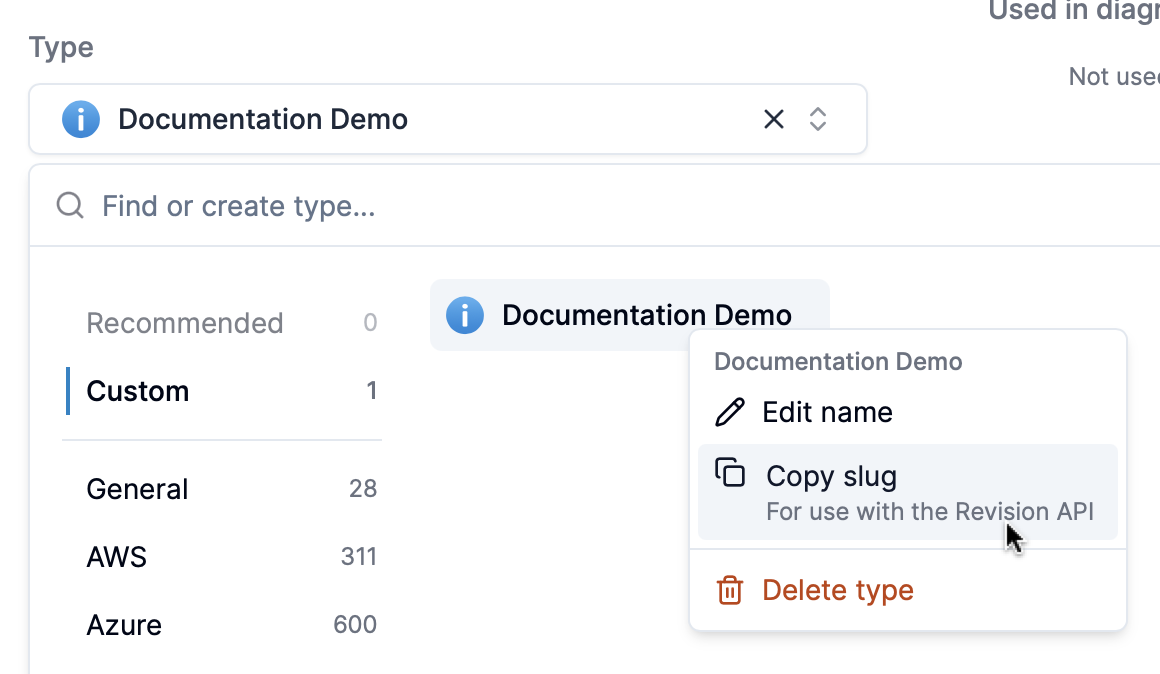
You can also add your own custom types. To find the slug for custom types, use the type selector in the Revision app:
Example Type IDs
Here are some real type IDs you can use:
{
  "name": "My API Gateway",
  "typeId": "eE1d4atd1Og"
}
{
  "name": "User Database",
  "typeId": "kebvFua3Uxt"
}
{
  "name": "Lambda Function",
  "typeId": "9e5vdfuqxio"
}
All type IDs are case-sensitive. Always verify the exact slug from the types catalog or app before using in your requests.