MCP Server
The Revision MCP (Model Context Protocol) server provides read-only access to your architecture model, enabling AI agents and external tools to analyze and understand your architecture data.
With the MCP server, you can interact with your Revision model using natural language for analysis, for instance:
List all archived components used in our active diagrams,Show me components of type "Server" and their attributes,What diagrams contain external systems?,- and so on!
Setup
Endpoint
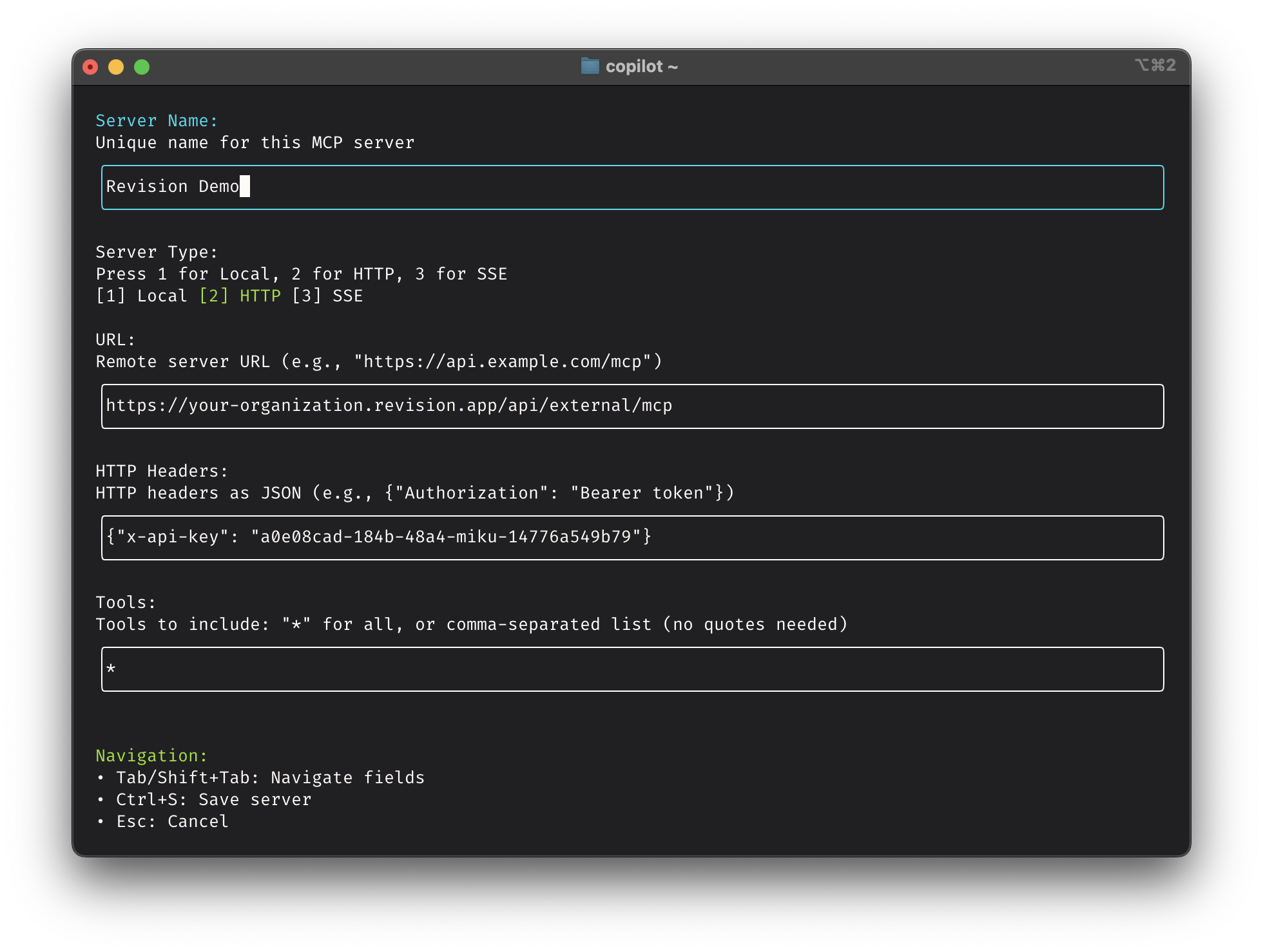
https://<your-organization>.revision.app/api/external/mcp
The server is of the HTTP type.
Authentication
All MCP requests require API key authentication. Include your API key using the Authorization header with Bearer token. You can find more details on the API authentication documentation page.
Example
As an example, here is how you would set up GitHub's Copilot CLI with the Revision MCP server, though the /mcp command:
Available Tools
The following read-only tools are currently available:
attributes_list- List all attributes in your organizationcomponents_list- List all components in your organizationdiagrams_list- List all diagrams in your organizationtags_list- List all tags in your organizationtypes_list- List all available component types
Details surrounding the response formats are available on the resources' respective API pages:
- Components API - Component data structure
- Attributes API - Attribute data structure
- Diagrams API - Diagram data structure
- Tags API - Tag data structure
- Types API - Type data structure