CI/CD Integration
Keep your architecture diagrams in sync with your codebase by integrating Revision into your CI/CD pipeline. This approach treats your diagrams as living documentation that automatically updates with your infrastructure changes.
Related Documentation
- Learn more about diagram definitions in Diagrams as Code
- Find the right component types in Type IDs
- Complete API reference in Model API
GitHub Actions Example
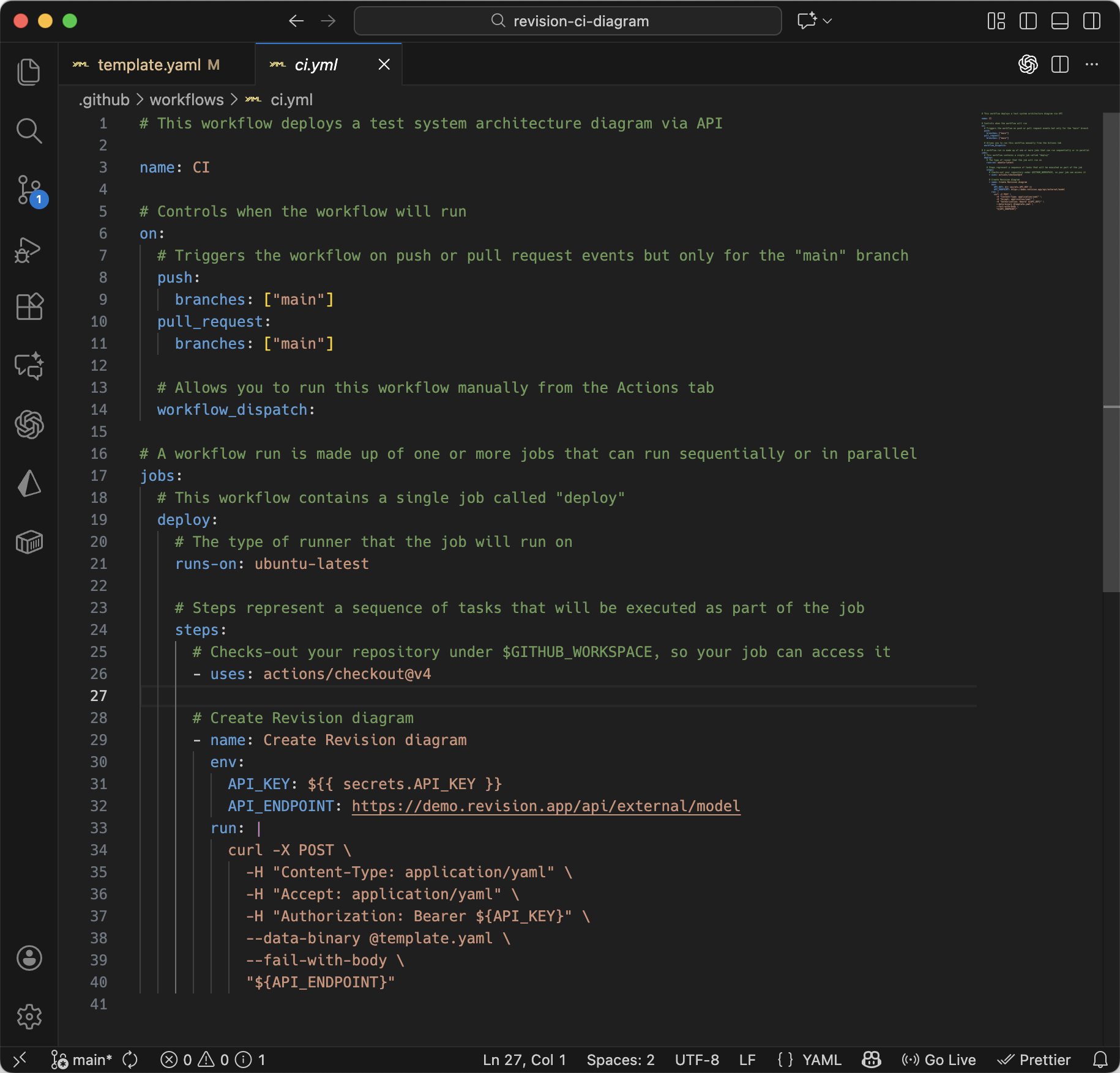
Working GitHub Example
See a complete, ready-to-use example repository: revision-ci-diagram
Here's a complete GitHub Actions workflow that deploys diagrams on every push to main:
Workflow Configuration
Create .github/workflows/ci.yml in your repository:
# This workflow deploys a system architecture diagram via API
name: Deploy Architecture Diagrams

# Controls when the workflow will run
on:
  # Triggers the workflow on push or pull request events but only for the "main" branch
  push:
    branches: ["main"]
  pull_request:
    branches: ["main"]

  # Allows you to run this workflow manually from the Actions tab
  workflow_dispatch:

# A workflow run is made up of one or more jobs that can run sequentially or in parallel
jobs:
  # This workflow contains a single job called "deploy"
  deploy:
    # The type of runner that the job will run on
    runs-on: ubuntu-latest

    # Steps represent a sequence of tasks that will be executed as part of the job
    steps:
      # Checks-out your repository under $GITHUB_WORKSPACE, so your job can access it
      - uses: actions/checkout@v4

      # Create/Update Revision diagram
      - name: Deploy Architecture Diagram
        env:
          API_KEY: ${{ secrets.REVISION_API_KEY }}
          API_ENDPOINT: https://your-organization.revision.app/api/model
        run: |
          curl -X POST \
            -H "Content-Type: application/yaml" \
            -H "Accept: application/yaml" \
            -H "Authorization: Bearer ${API_KEY}" \
            --data-binary @architecture.yaml \
            --fail-with-body \
            "${API_ENDPOINT}"
Setting Up Secrets
- Go to your GitHub repository settings
- Navigate to Secrets and variables → Actions
- Add a new secret named
REVISION_API_KEYwith your API token value
Diagram Definition File
Create architecture.yaml in your repository root:
components:
  - ref: web-app
    name: Web Application
    desc: React frontend application
    typeId: "9e5vdfuqxio"  # Web application type

  - ref: api-gateway
    name: API Gateway
    desc: Main entry point for API requests
    typeId: "eE1d4atd1Og"  # API Gateway type

  - ref: user-service
    name: User Service
    desc: Handles user authentication and profiles
    typeId: "kebvFua3Uxt"  # Microservice type

  - ref: database
    name: PostgreSQL Database
    desc: Primary data store
    typeId: "dmy2wCqStyC"  # Database type

diagrams:
  - ref: production-architecture
    name: Production Architecture
    desc: Current production system architecture
    state: ACTIVE
    level: C1
    componentInstances:
      - ref: web-app-instance
        component: web-app

      - ref: api-gateway-instance
        component: api-gateway

      - ref: user-service-instance
        component: user-service

      - ref: database-instance
        component: database

    relations:
      - fromComponentInstance: web-app-instance
        toComponentInstance: api-gateway-instance
        label: "HTTP requests"
        desc: "Frontend communicates with backend"

      - fromComponentInstance: api-gateway-instance
        toComponentInstance: user-service-instance
        label: "Routes requests"
        desc: "Gateway forwards user-related requests"

      - fromComponentInstance: user-service-instance
        toComponentInstance: database-instance
        label: "Stores data"
        desc: "Service persists user information"
Other CI/CD Platforms
GitLab CI
Create .gitlab-ci.yml:
deploy-diagrams:
  stage: deploy
  image: alpine/curl
  script:
    - |
      curl -X POST \
        -H "Content-Type: application/yaml" \
        -H "Accept: application/yaml" \
        -H "Authorization: Bearer ${REVISION_API_KEY}" \
        --data-binary @architecture.yaml \
        --fail-with-body \
        "${API_ENDPOINT}"
  variables:
    API_ENDPOINT: "https://your-organization.revision.app/api/model"
  only:
    - main
Azure DevOps
Create azure-pipelines.yml:
trigger:
- main

pool:
  vmImage: 'ubuntu-latest'

steps:
- script: |
    curl -X POST \
      -H "Content-Type: application/yaml" \
      -H "Accept: application/yaml" \
      -H "Authorization: Bearer $(REVISION_API_KEY)" \
      --data-binary @architecture.yaml \
      --fail-with-body \
      "$(API_ENDPOINT)"
  env:
    REVISION_API_KEY: $(REVISION_API_KEY)
    API_ENDPOINT: https://your-organization.revision.app/api/model
  displayName: 'Deploy Architecture Diagram'
Multiple Environments
Deploy different diagrams for different environments using separate YAML files:
- name: Deploy to Staging
  if: github.ref == 'refs/heads/develop'
  env:
    API_KEY: ${{ secrets.REVISION_API_KEY }}
    API_ENDPOINT: https://your-organization.revision.app/api/model
  run: |
    curl -X POST \
      -H "Content-Type: application/yaml" \
      -H "Accept: application/yaml" \
      -H "Authorization: Bearer ${API_KEY}" \
      --data-binary @staging-architecture.yaml \
      --fail-with-body \
      "${API_ENDPOINT}"

- name: Deploy to Production
  if: github.ref == 'refs/heads/main'
  env:
    API_KEY: ${{ secrets.REVISION_API_KEY }}
    API_ENDPOINT: https://your-organization.revision.app/api/model
  run: |
    curl -X POST \
      -H "Content-Type: application/yaml" \
      -H "Accept: application/yaml" \
      -H "Authorization: Bearer ${API_KEY}" \
      --data-binary @production-architecture.yaml \
      --fail-with-body \
      "${API_ENDPOINT}"